 Password Recovery
 John the Ripper Extracting File Hash Code Cracking Tutorial
Example of extracting RAR compressed files using John the Ripper (the same applies to RAR, ZIP, and 7Z) In John the Ripper's directory, enter
rar2john.exe + the file path
the $rar5$16$04363f0311f905f2b98d5b422987021f$15$914c9e459933f9b45da5bc8a3b2067f2$8$3272fae8607d742f in the image below is the hash value of the file. rar5 represents encryption using rar5. Send the hash code to customer service for direct cracking; decryption can be completed without sending the file.
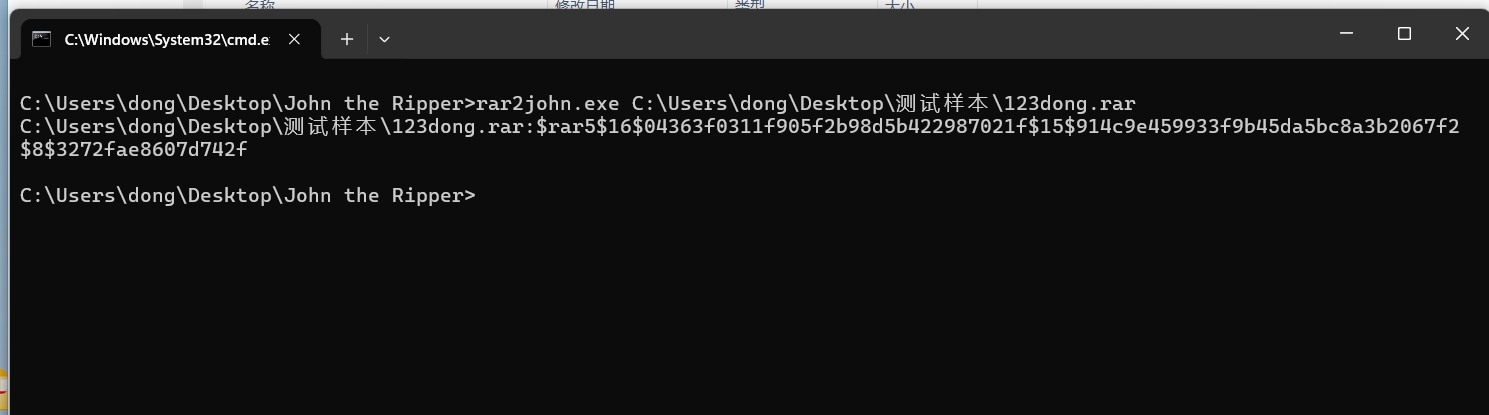
the image below shows the file using John the Ripper.
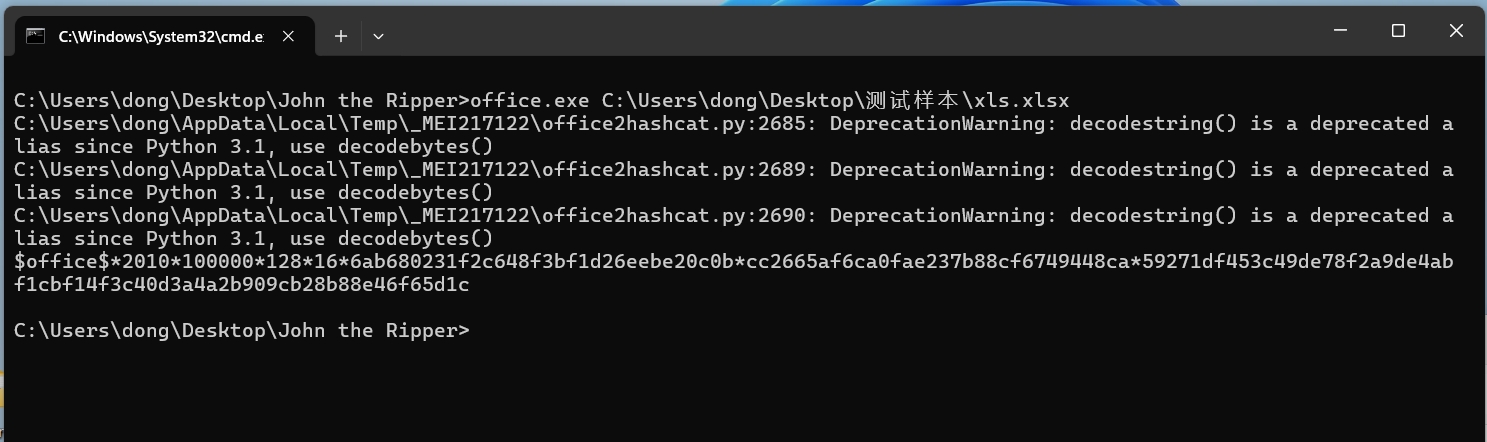
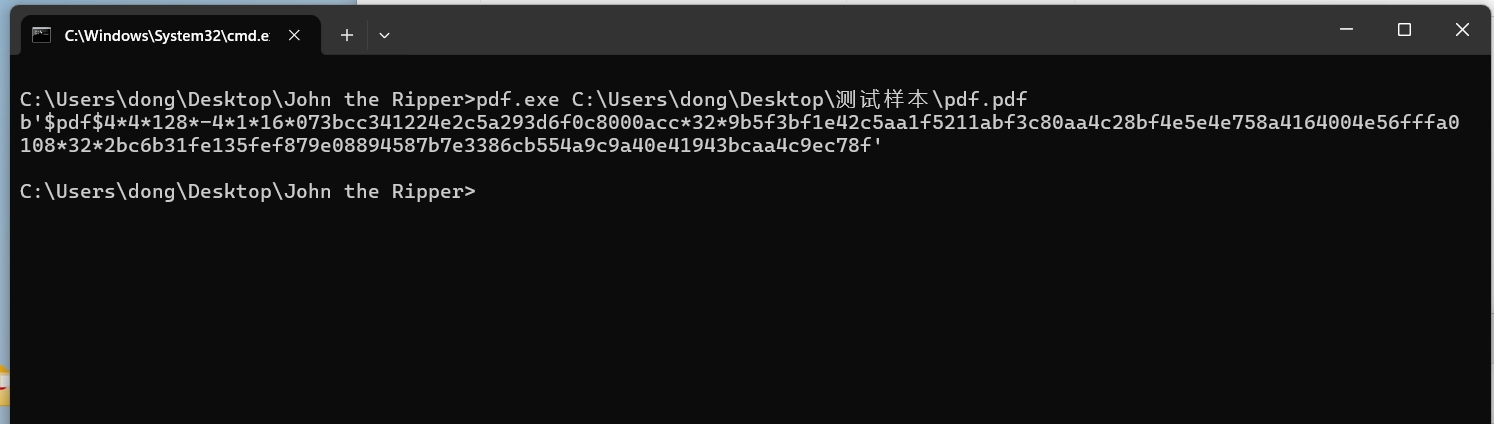
the following image shows an example of extracting a PDF file using John the Ripper. Enter the path of the
PDF.exe + file in the directory of John the Ripper.
$PDF$4*4*128*-4*1*16*073bcc341224e2c5a293d6f0c8000acc*32*9b5f3bf1e42c5aa1f5211abf3c80aa4c28bf4e5e4e758a4164004e56fffa0108*32*2bc6b31fe135fef879e08894587b7e3386cb554a9c9a40e41943bcaa4c9ec78f
This is the hash code of the PDF. Send this hash code to customer service to decrypt the file without needing to send it.
John the Ripper official website download link https://www.openwall.com/john/
This is an optimized version of this site, requiring no installation of runtime functions . the download link and content are the same; just choose a frequently used cloud drive and copy it to your browser for download!
Baidu Cloud Drive: https://pan.baidu.com/s/1w1gkMb3LvoYlQuurbmBstQ?pwd=2y9r Extraction Code: 2y9r
Xunlei Cloud Drive: https://pan.xunlei.com/s/VO3unMfAv06zyans0XrY5gwVA1?pwd=z5rt# Extraction Code: z5rt
Lanzouyun: https://xiaodongzi.lanzout.com/iuHEK271lv5i
To obtain the decompression password, please contact: www.mima8.cn Customer Service WeChat Request