 Password Recovery
 How to Filter Duplicate Content from 2T Dictionary Large Text
In the field of password cracking or data processing, having a 2T text-type dictionary file is a quite powerful resource. However, such a huge file is often prone to a large amount of duplicate data, which will not only occupy unnecessary storage space, but may also affect the efficiency of subsequent operations based on this dictionary file, such as the speed of password lookup. Therefore, effectively filtering duplicate content is a very critical step.
1. Understand the source and impact of duplicate data
First of all, we must understand why so much duplicate data is generated. During the construction of a dictionary file, data may be collected from multiple data sources that inherently overlap. For example, when collecting data from different Word lists, common password sets, lists of various character combinations, etc., some basic words or simple password combinations may exist in multiple sources.
These duplicate data will have many adverse effects. From a storage perspective, the space of 2T is already very large. If there is a large amount of duplicate content in it, it will be equivalent to wasting precious storage space. When actually using this dictionary file for password cracking or other operations, duplicate content will lead to unnecessary search and comparison operations. For example, if in password cracking, the algorithm needs to compare the contents in the dictionary with the target password one by one, the duplicate content will increase the number of comparisons, thus slowing down the entire cracking process.
2. Filtering methods based on text processing tools
Use tools under Windows
-use PowerShell
-In Windows systems, PowerShell provides rich text processing functions. We can use the following PowerShell script to remove duplicate lines:
```powershell
$lines = Get - Content "dictionary.txt "
$uniqueLines = @()
foreach ($line in $lines) {
if ($uniqueLines - notcontains $line) {
$uniqueLines += $line
}
}
$uniqueLines| Set - Content "unique_dictionary.txt "
```
This script first reads all lines in "dictionary.txt" into an array "$lines". Then, you go through each row in a loop, and if a row is not in the new array "$uniqueLines", it is added to the new array. Finally, save the contents of the new array in "unique_dictionary.txt".
Divide and divide algorithm
-Since our dictionary file is very large (2T), direct processing may encounter problems such as insufficient memory. Divide and divide algorithm can solve this problem well. We can divide this large file into smaller sub-files. For example, we can divide it according to a certain number of lines or file sizes.
- Then, repeat the filtering for each subfile separately. Remerge the processed subfiles into one file. During the merge process, you also need to check again for duplicate content, because there may be the same content between different subfiles.
4. Verify the filtering results
After completing the repeated filtering, we need to verify whether the results are correct. You can use some simple methods, such as randomly sampling rows and checking the number of occurrences of those rows in the original file and the filtered file. If it appears multiple times in the original document but only once in the filtered document, the filtering is effective.
In addition, you can compare the size of the original file and the filtered file. If the size of the filtered file is significantly smaller than the original file and behaves normally in subsequent tests (such as using this dictionary file to conduct a simple password lookup test to see if it works normally and no passwords that should exist), it can also mean that repeated filtering work has achieved good results.
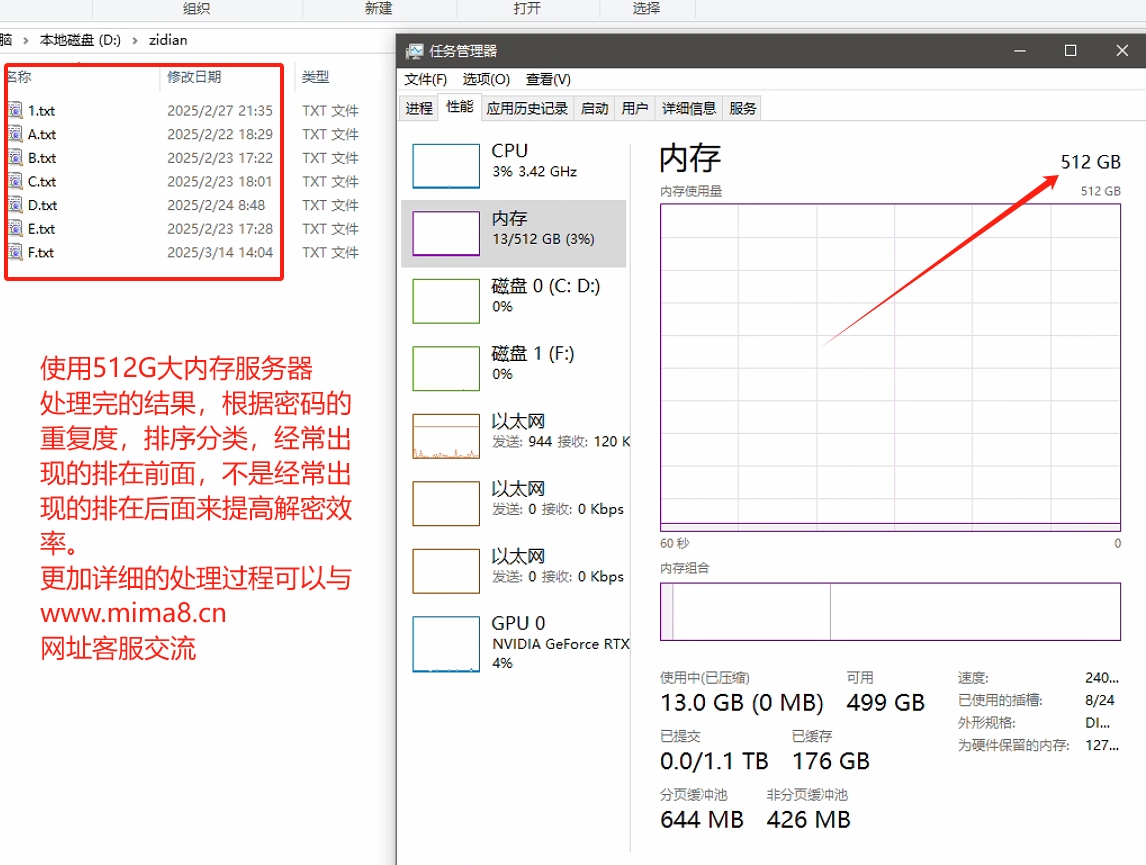
Our server uses 512G memory and a high-speed NVMe protocol hard disk server. It took half a month to successfully complete the process, and we found out a set of efficient processing scripts. If you have type needs, you can contact the website customer service for communication and filter through the repeated process. Pits, as well as the writing of automatic processing scripts!
Filtering duplicate content in 2T text type dictionary files is a challenging but necessary task. By reasonably selecting tools and algorithms, we can effectively remove duplicate content and improve the quality and efficiency of dictionary files, which is of great significance whether in password cracking or other application scenarios based on this dictionary file.