 Password Recovery
 Any PDF Password Recovery PDF Password Cracking Software
Any PDF Password Recovery [PDF Password decryption software, recover PDF and open Password] download link. The content is the same; just select a frequently used cloud drive and copy it to your browser to download!
Baidu Cloud:https://pan.baidu.com/s/1PyWNujH3vmF4jNCWqFo5QA?pwd=9e38 Extraction Code: 9e38
Xunlei Cloud:https://pan.xunlei.com/s/VO6t_FEvQ3oG7oOfhPsdCAiBA1?pwd=r3he#
蓝奏云: https://xiaodongzi.lanzout.com/ivTxF2a3gg1e
获取解压密码请联系:www.mima8.cn Customer Service WeChat Request
Basic Introduction

Any PDF Password Recovery Latest Version is a very safe and reliable PDF Password Recovery software to use. The latest version of Any PDF Password Recovery software also offers three powerful decryption methods to efficiently retrieve forgotten passwords. It can quickly retrieve protected passwords that meet the requirements for unlocking PDF files. Any PDF Password Recovery Chinese version to set PDF Password incomplete characters to quickly decrypt PDF. Supports users to customize the import of commonly used password dictionaries to assist in decryption.
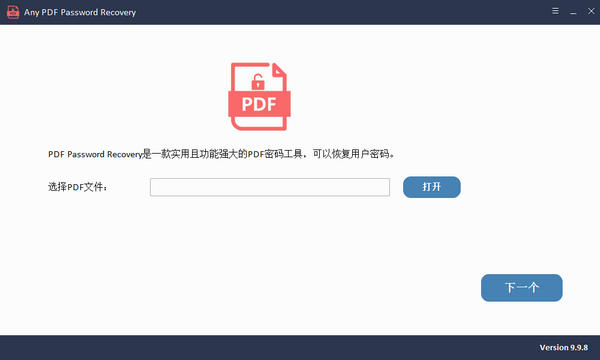
Any PDF Password Recovery Software Introduction
Any PDF Password Recovery can help users open locked PDF files. This software can recover or delete passwords from PDF files. You can download it if needed.
Any PDF Password Recovery software functions
1. Use this software to remove the protection Password of PDF files.
2. Provides three powerful decryption methods to efficiently recover forgotten passwords.
3. Quick retrieval matches the protection password for unlocking PDF files.
4. Users can set PDF password incomplete characters to quickly decrypt PDFs.
5. Supports users to customize and import commonly used password dictionaries to assist in decryption.
6. Enables users to easily decrypt PDFs and edit PDF documents.
Any PDF Password Recovery Software Features
1. Simple and easy to use. Add files that need to be decrypted, select the decryption method, and retrieve the lost password with one click.
2. A safe and reliable decryption process that will not cause any damage to the PDF itself.
3. Users can retrieve their forgotten PDF passwords in just three simple steps.
4. Using the retrieved password, you can directly unlock the PDF file, making it unrestricted by the password.
5. If you forget your PDF protection password, you can use this tool to decrypt it.
6. In addition to Chinese support, the software also supports dozens of languages.
Any PDF Password Recovery Installation Steps
1. Download the latest version of Any PDF Password Recovery software package from Huajun Software Park
2. Extract the Any PDF Password Recovery software and run the file
3. Double-click to open, enter the Any PDF Password Recovery software interface, select the installation language, and click OK

4. Select the destination location. The software will be installed in the folder listed below. To select a different location and create a new path, click Next.
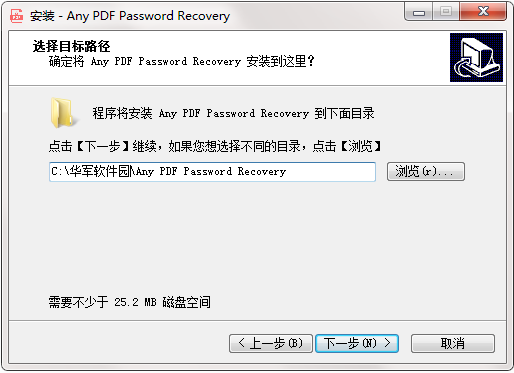
5. Create a shortcut folder. The shortcut icon will be created in the folder indicated below. Click Next

6. Select an additional task, select the additional task that runs when the software is installed, and then click Next

7. The installer is now ready to begin installing the software on your computer. Click Install to continue this installer
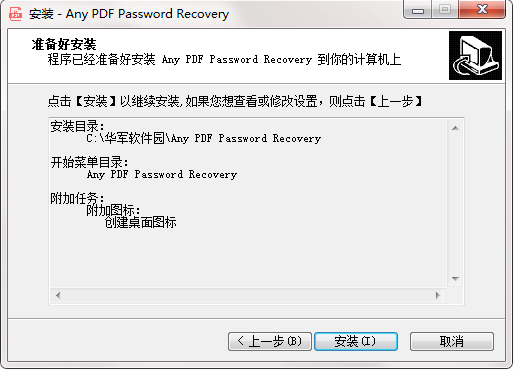
8. Click Finish. Any PDF Password Recovery software has been successfully installed.

How to use Any PDF Password Recovery
1. Unzip the software, run the program, and select the appropriate language for installation.
2. After completing the installation, launch the software and open it directly to enter the software's user interface.
3. Click the "Open" button to enter Explorer and add the PDF document you need to recover your password from.
4. After adding, click "Next" to continue setting the decryption method in the next operation step.
5. There are three decryption methods: the first is brute force decryption, the second is mask decryption, and the third is dictionary decryption, where the mask and dictionary can be set.
6. In the settings panel for mask decryption, you can set it according to the password information you can still remember to shorten the time to retrieve the file password.
7. The software comes with a built-in common password dictionary for decryption. You can also set a custom decryption dictionary. After selecting the decryption method, click "Start".
8. The software begins to retrieve your PDF document. The decryption time is related to the difficulty of the password. Usually, when brute force decryption is used and the password is complex, the decryption time will also be relatively long.
Any PDF Password Recovery Instructions
1. Install and launch
Download, install and run Any PDF Password Recovery on your computer.
2. Add the PDF file
Click the Open button and import the PDF file, then click the Next button.
3. Recover PDF password
Select the PDF password attack type and click the "Start" button.